Generate and upload sign-in sheet
Only electronic attendance is used since 07/2020. No paper sign-in sheets are required/collected. You can still use the printout of the sheet for your own purposes.
Find Sign in sheet in the right upper corner of every course. Click on the entry and then click on Print Sign in sheet to create a .pdf file.
New window will be opened with the pre-filled fields. Click Print Sign in sheet in the right upper corner:
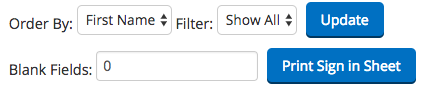
Note: Date and names of students are automatically added by the system. To download and print a correct sign-in sheet, it must be generated in the current month of teaching.
Note 2: for the best input, use the Mozilla Firefox browser and A4 portrait print. Check the template of the sign-in sheet here.
A filled-in and signed sign-in sheet must be send to the school no later than 2 (two) business days of the month after the month in which the course took place as stated in the contract (see par 3.2). In Language Hub, we prefer scanned documents that are inserted into My Money in Teacher Zone (http://www.language-hub.org/course/view.php?id=15).
The scan should have the following attributes:
- .pdf format
- black and white scan (not a photo)
- name in format A_001_Date_2017_01 (Course code_ Date_Year_Month)
> How the sign-in sheet should look like
If you have issues with scanning the documents into .pdf, feel free to deliver and deposit them personally to the school's post box in Moravske namesti 3, Brno.
Is the information on this page incomplete or incorrect? Let us know.