Language Hub, s. r. o.
Lektorská Wiki
Přidat novou poznámku o studentovi/tech
A note can be added by a teacher about a particular student.
- A note is added in a course by selecting This course -> People from the upper menu
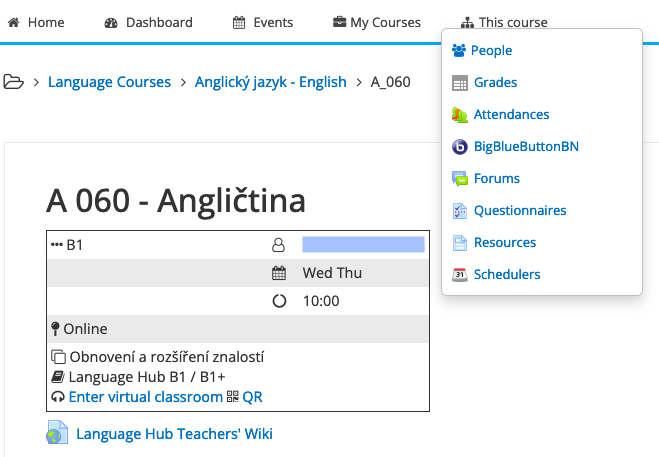
- Mark the user(s) to add a note to and select "Add a new note" from the below menu (hint: If you want to add the same note to more users in a course, select "Add a common note" instead)

- Add a note and click "Save changes"

- To check the note, go to the profile of a particular user and select "Notes".
- Please be aware that these notes are not visible to students.
Našli jste v nápovědě chybnou nebo neúplnou informaci? Dejte nám vědět.