 Language Hub, s. r. o.
FAQ for Teachers
Book a classroom
You can book a classroom using the booking application in the upper banner.
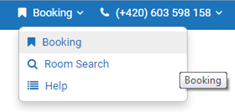
The Booking displays an overview of the classrooms and their occupancy.
The Room Search lets you quickly find free classrooms for a specific date.
More detailed instructions are available under the Help link (English only).
To book a room, select Booking, then the room, then click on "plus" for a particular day and hour (the system works with the smallest unit for 15 minutes). By default, your courses are set up by the administrator and there is no reason to change them.