Language Hub, s. r. o.
Language Hub Teachers' Wiki
Take attendance
(Restore this version)
Modified: 3 August 2026, 8:34 AM User: Language Hub Office →
There is an overview of upcoming lessons in the right region of the course folder.
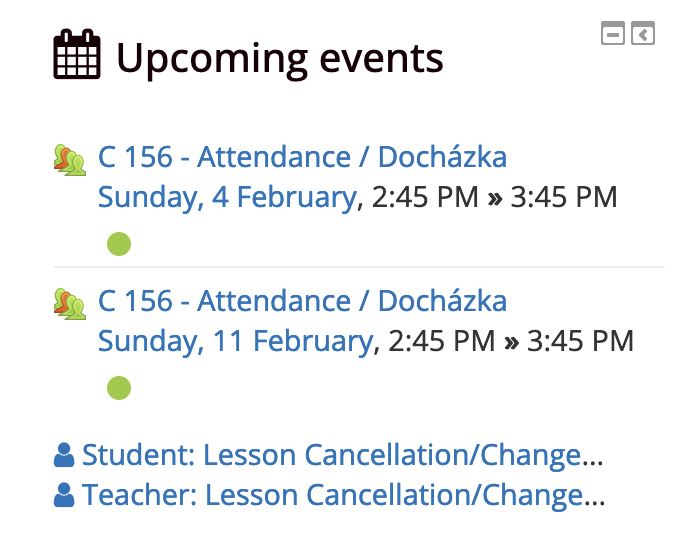
By selecting one of the events, you will get a detailed overview of lessons which you can filter by different criteria (All, All past, Months, Weeks, Days)
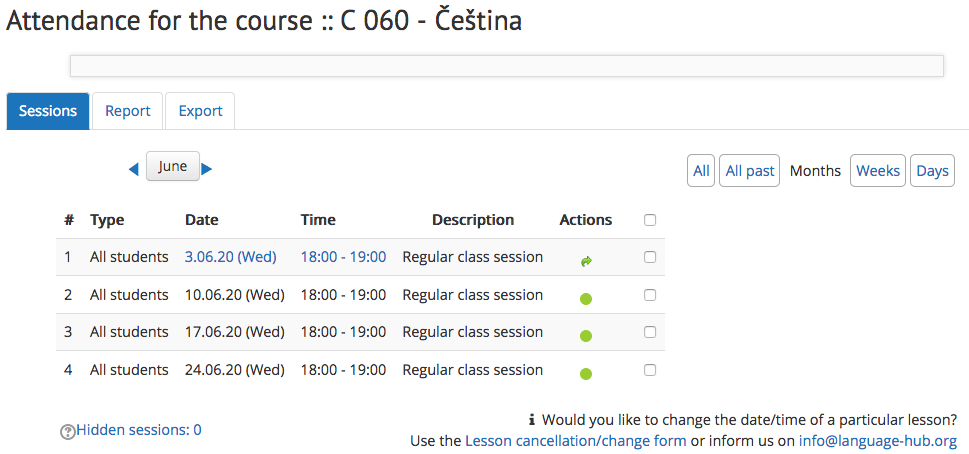
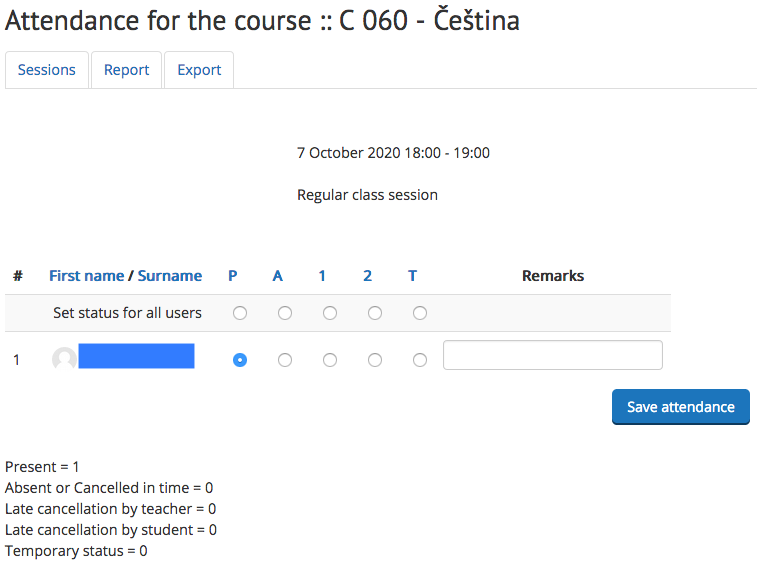
Lessons that are not taken are marked with a green circle. Clicking it you will get a new window where you select the status of the lesson for a particular student and save the attendance. Lessons with different status than "P" have to be processed through the Language Hub office.
For lesson cancellation/change help, please refer to Cancel a lesson page.
How often to take attendance
The attendance module is used by students, teachers and Language Hub administration for an ongoing control of the presence. It is desired to have the attendance taken shortly after the lesson so as to keep the live picture of the ongoing month. The export from attendance module is compared with the amount of invoiced lessons and is shared with student(s). It is necessary to take the reality-based attendance completely no later than the new My Money Database entry is added.
Is the information on this page incomplete or incorrect? Let us know.